
Your site ranks in Google. Then someone asks ChatGPT about your topic, and your brand is nowhere. It feels like being the only guest who missed your own party.
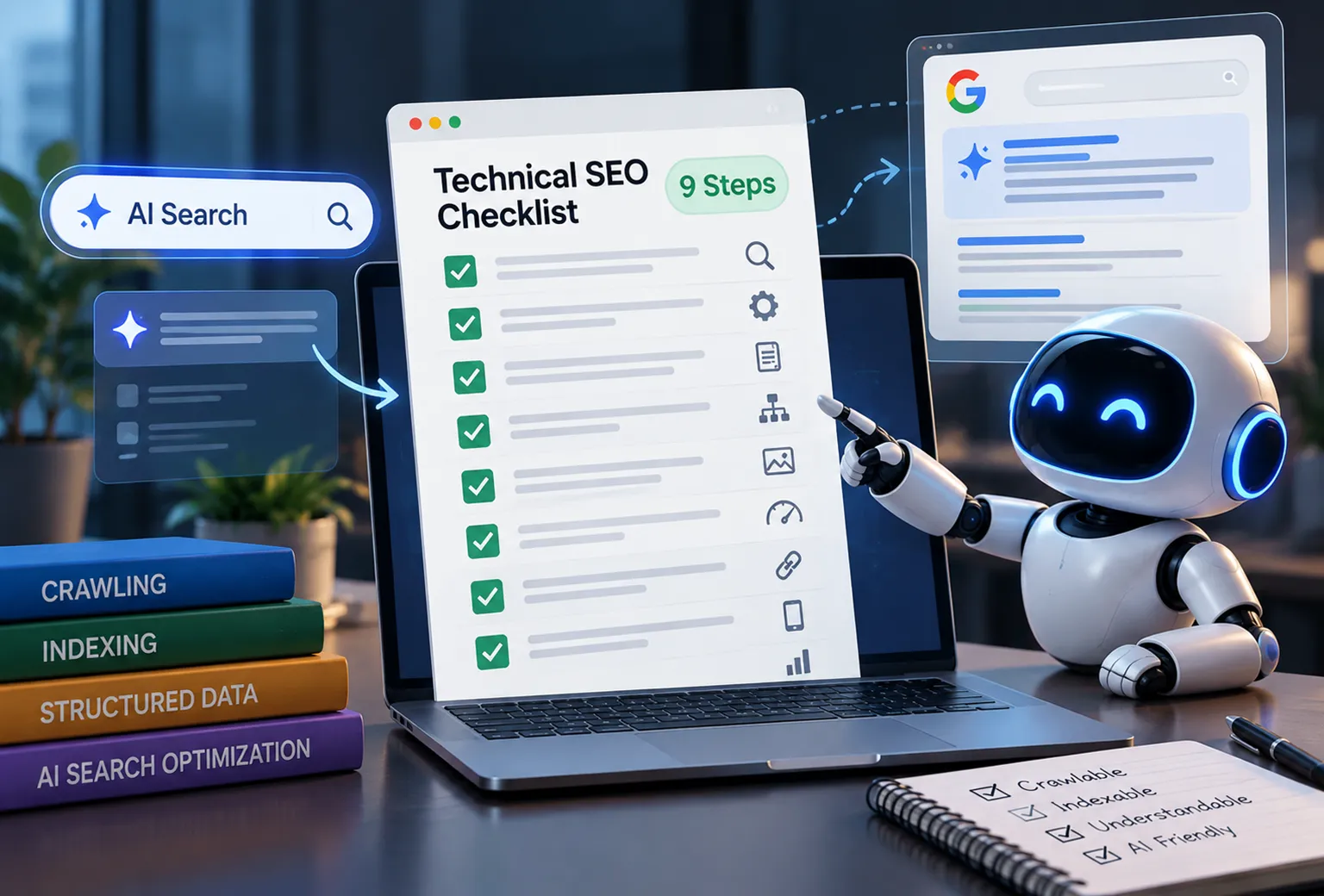
The fix often starts with technical SEO. This technical SEO checklist for AI search shows what Google and AI systems need to find, read, and trust your pages. Every claim points to official documentation, so you get facts, not folklore.
Quick answer: Make sure your pages are indexable in Google, allow the AI search bots you want, stop firewalls from blocking them, put your main content in the HTML, and add accurate structured data. Then measure what happens.
One warning before we start. AI search changes fast. Confirm bot names and settings in each vendor’s documentation before you edit a live site.
What This Checklist Covers
- Crawling and indexing in Google
- Sitemaps, Bing, and IndexNow
- Robots.txt for AI crawlers
- How to check if AI bots can crawl a website
- JavaScript rendering
- Site structure and semantic HTML
- Structured data
- Speed, mobile, security, and hreflang
- llms.txt
- How to monitor AI search traffic in GA4
Why Technical SEO Still Matters for AI Search
Google says a page must be indexed and eligible to appear with a snippet to show up as a supporting link in AI Overviews and AI Mode. It adds that no special technical requirements or extra markup apply. So technical SEO for Google AI Overviews rests on the same foundation as classic search.
Other AI products work differently. OpenAI, Perplexity, and Anthropic each run their own crawlers. If those bots cannot reach your page, they cannot cite it.
Is traditional SEO dead, then? No. Read our take in Is Traditional SEO Dead?. For the content side, see our guides on how to rank in Google AI Overviews and generative engine optimization.
Step 1: Run a Technical SEO Audit Checklist for AI Search, Starting With Indexing
Before you chase AI bots, make sure Google can crawl and index your site. This technical SEO audit checklist for AI search starts with the basics.
Check What Google Has Indexed
Open Google Search Console and inspect your key URLs with the URL Inspection tool. Then review the Page indexing report. It groups unindexed pages by reason, such as “Excluded by noindex tag,” “Blocked by robots.txt,” or “Crawled – currently not indexed.”
Treat each reason differently. A noindex tag on a pricing page is a bug. A noindex tag on a thank-you page is fine.
Fix Duplicate Site Versions and Canonicals
Your site may answer at four addresses: http and https, with and without www. Search engines can treat these as separate copies. Pick one preferred version and 301 redirect the rest to it.
Then set a self-referencing canonical tag on each page. Google’s guide to consolidating duplicate URLs explains how canonicals work. Google treats them as a strong hint, not a command.
Remove Redirect Chains and Broken Links
A redirect chain sends crawlers from URL A to B to C. Point links straight at the final URL instead. Google documents how redirects affect Search.
For broken internal links, restore the page or redirect it to the closest match. For broken external links, update or remove them. A crawler such as Screaming Frog or Sitebulb finds both problems in minutes.
Watch for Server Errors
A 5xx error means your server failed. Google’s documentation on HTTP and network errors says server errors can make Googlebot slow its crawling, and long-lasting errors can drop URLs from the index. Check the Crawl stats report in Search Console, and ask your developer or host to fix repeat offenders.
Need a second pair of eyes? Our SEO agency team in India runs these audits every week.
Step 2: Submit Sitemaps and Cover Bing With IndexNow
An XML sitemap lists the URLs you want crawled. One sitemap file can hold up to 50,000 URLs or 50 MB uncompressed. Larger sites use a sitemap index. Google’s sitemap overview covers the rules.
Keep sitemaps clean. List only canonical, indexable URLs that return a 200 status. Submit the file in Search Console and reference it in robots.txt.
Do not ignore Bing. Verify your site in Bing Webmaster Tools and compare its index with Google’s. Then consider IndexNow, an open protocol that notifies participating search engines when a URL changes. Bing and Yandex support it. Check Google’s current stance before relying on it, and keep your sitemap running either way.
Step 3: Set Up Robots.txt for AI Crawlers
Robots.txt follows the Robots Exclusion Protocol, published as RFC 9309. It is a polite request, not a lock. Reputable crawlers obey it. Bad actors ignore it.
Here is where many site owners trip. AI companies run separate bots for separate jobs, and blocking one does not block the others. Use this AI crawler SEO checklist as a starting map:
| Bot | Company | What the company says it does |
|---|---|---|
| OAI-SearchBot | OpenAI | Surfaces websites in ChatGPT search results |
| ChatGPT-User | OpenAI | Visits pages when a person asks ChatGPT to |
| GPTBot | OpenAI | Collects content that may train generative models |
| PerplexityBot | Perplexity | Indexes sites for Perplexity search results; not used for foundation model training |
| Perplexity-User | Perplexity | Fetches pages when a user asks a question |
| Googlebot | Crawls for Google Search, which AI Overviews rely on | |
| Google-Extended | Control token for Gemini training and grounding; no effect on Search ranking or inclusion | |
| ClaudeBot, Claude-SearchBot, Claude-User | Anthropic | Separate crawlers for training, search, and user requests |
Check each vendor’s page for the current list: OpenAI and Perplexity. Perplexity explains how it treats robots.txt for user-triggered requests, so read that section before you rely on a rule.
How to Allow ChatGPT to Crawl My Website
If you want to appear in ChatGPT search, allow OAI-SearchBot. Whether you also allow training bots is a business decision. Here is a sample:
User-agent: OAI-SearchBot
Allow: /

User-agent: PerplexityBot
Allow: /

User-agent: GPTBot
Disallow: /

Sitemap: https://www.example.com/sitemap.xml
This sample welcomes search bots and declines one training bot. Change the rules to match your policy.
Two common mistakes. First, a broad rule such as User-agent: * with Disallow: / blocks everything you did not name. Second, robots.txt does not keep a page out of Google. Google says a noindex rule only works if the page stays crawlable, so do not block a URL you want de-indexed.
Step 4: How to Check If AI Bots Can Crawl a Website
Robots.txt can say yes while your firewall says no. This is the classic mixed signal. Your site waves the bot in, then a security rule slams the door.
Cloudflare began blocking AI crawlers by default for new domains in July 2025. If your site runs behind a CDN or web application firewall, review these settings:
- Bot management and bot fight mode rules
- Custom WAF rules that challenge unknown user agents
- Cloudflare’s AI Crawl Control dashboard, if you use Cloudflare
- Rate limits that punish fast, repeated requests
- Hosting-level security plugins that block unfamiliar bots
Run a Quick Header Test
curl -I -A "OAI-SearchBot" https://www.example.com/A 200 response is a good sign. A 403 means something blocks you. Treat this test with care, though. Many firewalls judge bots by IP address, not just the user agent, so a spoofed header proves little.
Read Your Server Logs
Logs give the real answer. Search them for OAI-SearchBot, PerplexityBot, and similar names, then check their status codes. Many 200s mean the bots get through. A pile of 403s means your firewall is the culprit.
Want to confirm a visitor is the real Googlebot? Google explains how to verify Googlebot with reverse DNS lookups. This AI search crawlability checklist step takes ten minutes and saves weeks of guessing.
Step 5: Fix JavaScript Rendering SEO for AI Crawlers
Googlebot can render JavaScript, but rendering happens in a second phase and can lag behind crawling. Google’s JavaScript SEO basics cover this in detail.
AI crawlers add a bigger risk. A 2024 analysis by Vercel and MERJ found that OpenAI’s and Anthropic’s crawlers fetched JavaScript files but did not execute them. Google’s Gemini crawler, which uses Googlebot’s infrastructure, was an exception. Crawler behavior may have changed since then, so retest your own site. You can read the study in Vercel’s write-up.
Here is a simple test:
- Open your page and choose “View page source.”
- Search for a sentence from your main content.
- If the sentence is missing, scripts probably load it later.
When content hides behind scripts, use server-side rendering or static generation. Put headings, body text, links, prices, and policies in the initial HTML. If your stack makes this hard, our web development team can help.
Step 6: Build a Clear Structure With Semantic HTML
Good structure helps people, search engines, and AI tools find their way. Start with a simple hierarchy: homepage, categories, then individual pages. Keep important pages within a few clicks of the homepage.
Use Semantic HTML
Semantic tags describe what each part of a page does. Use one H1, then H2 and H3 headings in order. Wrap navigation in nav, your core content in main, and standalone posts in article. Compare that with a page built from endless div tags, which tells a machine nothing. MDN explains HTML semantics well.
Link Pages Together and Rescue Orphans
Orphan pages have no internal links, so crawlers struggle to find them. Link each important page from at least one related page, and use descriptive anchor text instead of “click here.” Breadcrumbs add another clear path. Browse our blog and services pages to see this structure in action.
Step 7: Add Structured Data for AI Search Optimization
Structured data tells machines what a page means. Google recommends JSON-LD and says markup must match the visible content. Google also states that AI features need no special schema.
That keeps structured data for AI search optimization simple. Use it to remove ambiguity, not to chase magic citations. Common, useful types include:
- Organization, for your brand name, logo, and profiles
- Article, for blog posts, with author and dates
- BreadcrumbList, for site structure
- Product or LocalBusiness, where they apply
- Person, for named authors
Validate your code with Google’s Rich Results Test and the Schema Markup Validator. Read Google’s structured data introduction and browse the vocabulary at Schema.org.
Step 8: Check Speed, Mobile, Security, and Hreflang
Core Web Vitals
Slow, shaky pages frustrate people and crawlers alike. Google’s Core Web Vitals set the targets, measured at the 75th percentile of real visits:
- Largest Contentful Paint: 2.5 seconds or less
- Interaction to Next Paint: 200 milliseconds or less
- Cumulative Layout Shift: 0.1 or less (a unitless score)
Find failing URLs in the Core Web Vitals report in Search Console. Then run them through PageSpeed Insights for fixes.
Mobile, HTTPS, and Interstitials
Google uses mobile-first indexing, so your mobile page must contain the same content as desktop. Serve every page over HTTPS. Google has used HTTPS as a lightweight ranking signal since 2014, and browsers warn users about insecure pages.
Also avoid intrusive pop-ups that cover your content. Google’s page experience guidance lists them as a problem. Dialogs that law requires, such as cookie notices, do not count.
Hreflang for International Sites
Serving several countries or languages? Use hreflang annotations so Google shows the right version. Each version should list all versions, including itself, and an x-default fallback helps. Google explains the rules in its guide to localized versions. Single-country sites can skip this step.
Step 9: How to Optimize a Website for AI Search Engines With Clear Content
Technical access gets you in the door. Content quality decides whether anyone quotes you. Google’s guidance on helpful, people-first content applies here too.
- Answer the main question near the top of each section.
- Write short paragraphs with one idea each.
- Show the author, the publish date, and your sources.
- Update old pages and show the date you updated them.
- Link related pages with descriptive anchor text.
Need help producing content that earns trust? Our SEO content marketing service builds exactly that. You can also see our portfolio or learn about our team.
Step 10: Decide Whether You Need llms.txt
Jeremy Howard proposed llms.txt in September 2024. It is a Markdown file at the root of your site that points language models to your best content. You can read the proposal at llmstxt.org.
It remains a proposal, not an official standard. Google says you do not need new machine-readable files or AI text files to appear in its AI search features. So treat llms.txt as an optional experiment. It costs little, but crawl access, rendering, and content quality matter far more.
Measure Results: How to Monitor AI Search Traffic in GA4
You cannot improve what you do not measure. Start with these methods:
- GA4 referrals: Filter session sources for chatgpt.com, perplexity.ai, gemini.google.com, copilot.microsoft.com, and claude.ai. A custom channel group or exploration report works well.
- Search Console: Google counts clicks from AI Overviews and AI Mode in the overall web search totals, so you cannot isolate them.
- Server logs: Count visits from AI bots and watch their status codes.
- Manual citation checks: Run the same set of prompts every month. Record whether your brand or URL appears.
Be honest about the limits. Some AI tools strip referrer data, so GA4 undercounts their traffic. Treat the numbers as a floor, not a ceiling. For wider metrics, see our guide to SEO KPIs.
The Technical SEO Checklist at a Glance
Print this list and tick it off:
- Key pages are indexed and return 200 status codes.
- One preferred site version (https, www or non-www) with 301 redirects.
- Canonical tags, redirects, and internal links are clean.
- 5xx errors are fixed or monitored.
- XML sitemap is current and submitted to Google and Bing.
- Robots.txt names the AI bots you want to allow or block.
- Firewall and CDN rules do not block wanted bots.
- Main content appears in the raw HTML.
- Pages use semantic HTML and a logical heading order.
- Structured data is valid and matches visible content.
- Core Web Vitals meet Google’s targets; mobile and HTTPS are in place.
- Hreflang is set up if you serve several countries or languages.
- Pages show authors, dates, and sources.
- GA4, Search Console, Bing Webmaster Tools, and log monitoring are active.
Final Thoughts
A strong technical SEO checklist does not need tricks. It needs access, clarity, and speed. Let crawlers in, show them real content, and prove your claims with sources.
Prefer expert hands on the audit? Explore our SEO agency services in India, browse all services, or contact our team. For more guides, visit the Pixels Corp blog.
Frequently Asked Questions
What technical SEO checks should I complete to make my website visible in both Google and AI search?
Start with indexing, crawl access, and rendering. Confirm key pages are indexed in Search Console, review robots.txt, test firewall rules, and make sure content appears in raw HTML. Then add accurate structured data, fix Core Web Vitals problems, and keep XML sitemaps clean. Google says AI features need no special markup, so strong fundamentals do most of the work.
How can I check whether ChatGPT, Perplexity, and other AI crawlers can access my website?
Check three layers. First, read your robots.txt for rules that name AI bots. Second, review your CDN or firewall settings, such as Cloudflare’s bot controls. Third, search your server logs for user agents like OAI-SearchBot and PerplexityBot. Logs show real visits, while a curl test only shows how your server responds to a spoofed header.
What should I add to robots.txt to allow AI search engines to crawl my website?
Add a separate group for each bot with an Allow rule, such as OAI-SearchBot for ChatGPT search and PerplexityBot for Perplexity. Make sure no broader Disallow rule or firewall rule contradicts it. Keep your sitemap line at the bottom. Check each vendor’s bot documentation first, because user agent names and purposes change over time.
Why is my website indexed in Google but not appearing in ChatGPT search results?
Google indexing and ChatGPT search use different crawlers and systems. Common causes include robots.txt rules or firewall blocks against OAI-SearchBot, content that needs JavaScript to appear, or pages that lack authority for the query. Fix access first, then improve content quality. Even with perfect access, no one can guarantee a citation.
How do I audit a website for technical SEO issues that affect AI search visibility?
Crawl the site with a tool such as Screaming Frog or Sitebulb, then compare results with Search Console’s indexing reports. Review robots.txt, status codes, canonicals, sitemaps, rendering, structured data, and speed. Add AI-specific checks for bot access in logs and CDN settings. Prioritize problems that block crawling or hide content, because those cost you the most visibility.
Does JavaScript rendering prevent AI search engines from reading my website content?
It can. Googlebot renders JavaScript, but a 2024 analysis by Vercel and MERJ found that several AI crawlers, including OpenAI’s and Anthropic’s, did not execute it. If your main content loads only after scripts run, those bots may see an empty shell. Server-side rendering or static generation puts your text in the initial HTML and removes the risk.
Which schema markup should I implement to help search engines and AI systems understand my website?
Start with types that match your visible content: Organization, Article, BreadcrumbList, Product, LocalBusiness, and Person for authors. Use JSON-LD and validate it with Google’s Rich Results Test. Google says AI features have no special schema requirement, so treat markup as a way to clarify meaning, not a shortcut to citations. Never mark up content users cannot see.
How can I check whether Cloudflare or my firewall is blocking AI crawlers?
Open your Cloudflare dashboard and review bot management, WAF rules, and the AI Crawl Control section. Cloudflare began blocking AI crawlers by default for new domains in July 2025, so check your settings even if you never touched them. Then confirm in server logs that bots like OAI-SearchBot receive 200 responses, not 403 errors.
How do I measure traffic and citations from ChatGPT, Perplexity, and Google AI search?
In GA4, build a custom channel group or report that filters session sources such as chatgpt.com and perplexity.ai. Google counts AI Overviews and AI Mode clicks in Search Console’s web search totals, so you cannot isolate them there. For citations, run a fixed set of prompts monthly and record whether your brand appears.
Is llms.txt necessary for AI search visibility, and how should I implement it?
No, it is optional. The llms.txt format is a community proposal from 2024, not an official standard, and Google says you do not need special AI text files to appear in its AI search features. Adding one costs little, so you can try it. Prioritize crawl access, rendering, and content quality first.
Sources
- Google Search Central: AI features and your website
- Google Search Central: Consolidate duplicate URLs
- Google Search Central: Redirects and Google Search
- Google Search Central: HTTP status codes and network errors
- Google Search Central: Sitemaps overview
- Google Search Central: JavaScript SEO basics
- Google Search Central: Verifying Googlebot
- Google Search Central: Introduction to structured data
- Google Search Central: Page experience
- Google Search Central: Localized versions of your pages
- IETF RFC 9309: Robots Exclusion Protocol
- OpenAI: Overview of OpenAI crawlers
- Perplexity: Crawlers guide
- Cloudflare: AI Crawl Control
- Vercel and MERJ: The rise of the AI crawler
- IndexNow protocol
- web.dev: Core Web Vitals
- MDN: Semantics in HTML
- Schema.org
- llms.txt proposal