
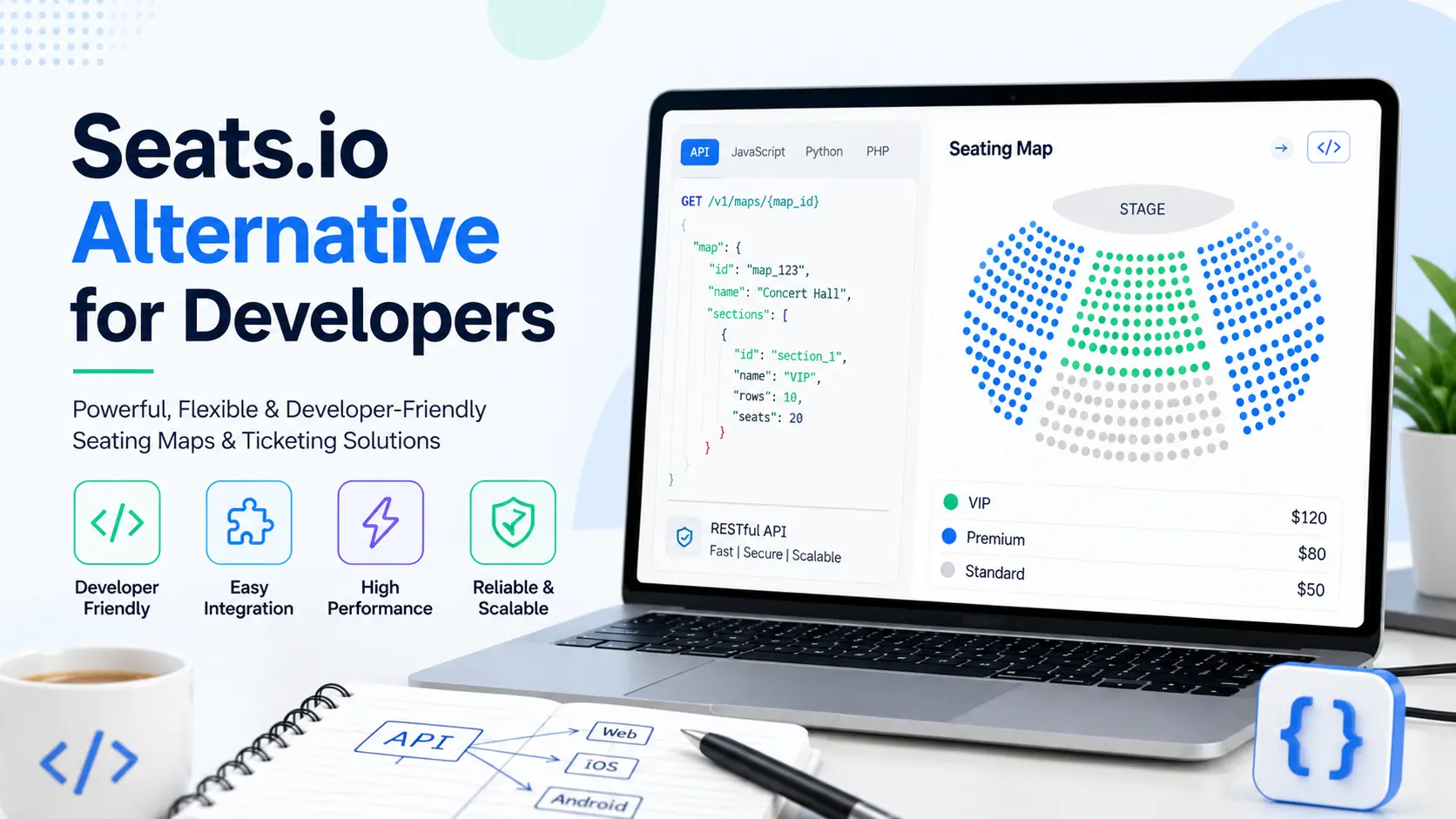
Every developer who has integrated a seating chart into a ticketing app knows the drill. You pick an API, you wire it up, and six months later you’re staring at an invoice or a feature gap you didn’t see coming. That’s usually the moment someone on the team types “seats.io alternative” into Google at 11 p.m.
This guide walks through what actually matters when you evaluate a seats.io alternative for developers, not just the marketing checklist. We’ll cover pricing models, SDK depth, migration effort, and what a modern seating chart API needs to do in 2026.
Why Developers Start Looking for a Seats.io Alternative
Seats.io built its reputation as a solid seat map rendering and reserved seating API, and plenty of ticketing platforms still run on it. But a few recurring pain points push development teams to search for a seats.io competitor.
Per-seat pricing gets harder to predict at scale. Seats.io charges based on used seats per billing period. That model works fine for a single small venue. It gets messier once you’re running multiple events, high-traffic on-sales, or a multi-tenant platform where usage spikes unpredictably. Teams end up building internal spreadsheets just to forecast their own seat map API bill.
Documentation and support resources haven’t kept pace. Seats.io’s own blog lives on Medium, and it hasn’t published much in the last few years. That’s fine if you never hit an edge case. It’s frustrating when you do and the newest community post is from a previous product era.
Migration questions pile up fast. “Why switch from Seats.io” isn’t usually about one dealbreaker. It’s a combination of pricing friction, a desire for a more modern embedded designer, and a need for better real-time seat availability at scale. Our Seats.io vs SeatLayer comparison breaks down these differences feature by feature.
None of this means Seats.io is a bad product. It means the market has moved, and developers now have real seats.io alternatives worth evaluating.
What a Good Seating Chart API Actually Needs to Do
Before comparing vendors, it helps to define the job. A seating chart API isn’t just a pretty SVG renderer. It’s infrastructure that has to hold up during a ticket on-sale with thousands of concurrent buyers clicking the same section.
Here’s what separates a serviceable seat selection SDK from a genuinely reliable one:
- Real-time seat availability. Two buyers should never be able to claim the same seat. This sounds obvious, but it requires solid seat locking and hold-expiry logic under the hood.
- Fast, accurate rendering. Interactive venue maps need to load quickly even for stadium-scale charts with tens of thousands of seats.
- Flexible categories and pricing. A theater with tiered pricing and a festival with general admission zones have completely different data models. A good event seating API handles both.
- Multi-floor and multi-section support. Arenas, opera houses, and expo halls rarely fit on a single flat plan.
- 3D and view-from-seat options. Buyers convert better when they can see what they’re actually paying for.
- Mobile-ready SDKs. Not every ticket gets bought on desktop anymore.
SeatLayer’s feature set and seating chart maker were built around these exact requirements, with support for 3D seat views and multi-floor venues documented directly for developers.
Pricing: The Question Everyone Asks First
Let’s be honest, “seats.io pricing too expensive” is one of the most common searches around this topic, right after “seats.io alternative” itself. Usage-based, per-seat billing isn’t inherently bad. It’s transparent in theory. The problem shows up when your usage is irregular, when you’re testing at scale before launch, or when you need to model costs across dozens of venues at once.
When you evaluate any venue seating software API, ask these questions:
- Does the pricing model punish growth, or reward it?
- Can you test in a sandbox without a hard production cutoff?
- Are white-label options bundled in, or a separate upsell?
- Is there a clear pricing and credits structure you can actually model in a spreadsheet?
A scalable seating API should let you forecast costs before an event goes live, not after the invoice arrives. Check any vendor’s pricing page directly and run your own numbers against your expected seat volume.
SDK Depth: What “Developer-Friendly” Should Really Mean
“Developer-friendly” gets thrown around a lot in ticketing SDK marketing. The real test is how the SDK behaves once you’re past the demo and into a real integration.
A strong seat map SDK needs:
- A clean buyer SDK for the ticket-buying flow, covering seat pickers, ticket tiers, and checkout.
- A separate server API for backend operations like blocking seats, managing inventory, and handling cancellations.
- Webhooks so your system stays in sync without constant polling.
- Support for the platforms your team actually ships on, including web and mobile.
SeatLayer documents each of these as its own layer: the buyer SDK installation guide, the server API reference, webhook events, and a dedicated mobile SDK guide. If you’re building on Flutter or another cross-platform stack, check whether the SDK ships native bindings or forces you to wrap a web view. That difference matters more than most vendors admit upfront.
One more thing worth checking in 2026: whether the platform documents integrations for AI agents and automated workflows, not just human developers. SeatLayer publishes this under its agent integration docs, which is worth a look if your team is automating parts of the build process.
Migrating Away From Seats.io: What to Plan For
Switching a seating chart API mid-project sounds scarier than it usually is, as long as you plan the move in stages instead of flipping a switch overnight.
Start with a side-by-side sandbox test. Rebuild one real venue chart, not a demo template, on the new platform before committing. This surfaces data model differences early, like how categories, ticket types, and general admission zones map between systems.
Compare the embedded designer experience. Your box office or ops team probably uses the floor plan designer daily. If the new tool’s embedded designer is harder to use than what they’re used to, that’s a real cost even if the API itself is better.
Test load behavior under pressure. Simulate a busy on-sale, not just a handful of clicks. Real-time seat availability under load is where seating APIs actually differ from each other.
Follow a structured go-live checklist. A rushed migration during a live selling window is how double-bookings happen. SeatLayer’s own going-live guide and quickstart documentation lay out this process step by step, and the choosing an integration path guide helps you pick the right implementation before you write any code.
Migration is rarely about ripping everything out at once. Most teams run parallel systems for a launch cycle or two before fully cutting over.
Build vs. Buy: Should You Just Build Your Own Seating Chart?
This question comes up in almost every roadmap discussion. Building an in-house interactive seating chart sounds appealing until you scope out what it actually requires: SVG or canvas rendering at scale, real-time locking logic, hold expiry, multi-device support, accessibility handling, and ongoing maintenance as venues change.
A seat map SDK exists specifically because this problem has already been solved, repeatedly, by teams who focus on nothing else. Buying gives you a head start on rendering performance, seat locking, and edge cases you haven’t hit yet. Building gives you full control, at the cost of your team’s time.
For most ticketing platforms, the honest answer is: build the parts that differentiate your product, and buy the seat map infrastructure underneath it. That’s the logic behind SeatLayer’s developer-first approach, and it’s worth reading through why teams choose SeatLayer before deciding either way.
SeatLayer as a Seats.io Alternative for Developers
SeatLayer was built as reserved seating infrastructure for teams that want a modern seat map SDK and API without rebuilding the wheel. A few things worth knowing:
Coverage across venue types. From arenas and stadiums to performing arts venues, the platform ships pre-built templates so you’re not drawing every row from scratch. You can browse the full list of supported venue categories directly.
A visual venue designer. The venue designer supports drag-and-drop chart creation, which matters for box office teams who aren’t writing code but still need to build or adjust a floor plan.
Operational tools, not just a renderer. Box office tools cover the day-of-event side of seat management, which a lot of pure API vendors leave out entirely.
Security as a first-class page, not an afterthought. Given how much personal and payment-adjacent data flows through a ticketing stack, it’s worth checking any vendor’s security practices directly rather than taking it on faith.
You can also try a live interactive demo before writing a single line of integration code, which is the fastest way to judge rendering speed and UX for yourself.
Comparing Your Options: A Practical Checklist
Whether you’re weighing SeatLayer, sticking with Seats.io, or looking at a different seats.io replacement entirely, run through this checklist before deciding:
- Does the pricing model match your actual usage pattern, not just your best-case projection?
- Can your ops team use the designer without filing a support ticket every time?
- Does the SDK support every platform your app ships on, including mobile?
- Is real-time seat availability tested under realistic on-sale load, not just a demo click-through?
- Are webhooks and server-side APIs documented clearly enough that a new engineer could onboard in a day?
- Does the vendor offer white-label options if your brand needs to stay front and center?
- Is there a clear migration or go-live path, or are you on your own?
A seating chart API is infrastructure your ticketing platform depends on every single sale day. It deserves more scrutiny than a five-minute feature comparison table.
Final Thoughts
There’s no single “best seats.io alternative” that fits every team. A small venue running a handful of events a year has different needs than a platform powering season tickets across a stadium circuit. What matters is testing against your real data, your real traffic patterns, and your real team’s workflow, not just a sales demo.
If you’re actively comparing options, start with a sandbox test, read the developer documentation, and build one real venue chart before making a call. That’s the only comparison that actually tells you anything.
Frequently Asked Questions
What is the best alternative to Seats.io for developers?
There isn’t one universal answer, since the right choice depends on your venue types, traffic patterns, and existing tech stack. Developers generally look for an alternative that offers a clear buyer SDK, a separate server API, real-time seat locking, and predictable pricing. SeatLayer is one option built specifically around these needs, with documented SDKs for web and mobile, webhook support, and a visual venue designer. The best approach is to test a real venue chart in a sandbox environment rather than relying on feature lists alone, since rendering speed and integration effort vary more in practice than on paper.
Which seating chart API is easier than Seats.io?
Ease of integration usually comes down to documentation quality, SDK structure, and how much boilerplate you need to write before seeing a working chart. APIs that separate the buyer-facing SDK from the server-side booking logic tend to be easier to reason about, since each piece has a clear job. Platforms offering a quickstart guide, pre-built templates, and a sandbox environment typically get developers to a working integration faster than those requiring a full custom build from an empty canvas.
Are there free alternatives to Seats.io?
Most reserved seating APIs, including Seats.io itself, offer a free or trial tier for development and testing, but production use for live ticket sales almost always requires a paid plan once you go beyond a small seat volume. This is standard across the category, since real-time seat locking, uptime guarantees, and support infrastructure carry ongoing operational costs. When comparing options, check whether the sandbox or trial mode lets you fully test your integration, including load behavior, before you need to commit to a paid tier.
Which event seating API has better pricing than Seats.io?
Pricing comparisons depend heavily on your usage pattern, since most vendors, including Seats.io, use some form of per-seat or usage-based billing. A platform with better pricing for your case is one where the billing model matches how you actually sell tickets, whether that’s steady year-round sales or a handful of high-volume on-sales per year. Before switching for pricing reasons alone, model your expected annual seat volume against each vendor’s published pricing page and factor in whether white-label branding is included or billed separately.
What are the best interactive seating chart libraries?
The strongest interactive seating chart tools combine fast rendering for large venues, real-time availability updates, and flexible category or pricing configuration. Look for support for multi-floor venues, 3D or view-from-seat options, and mobile-ready SDKs, since ticket buying increasingly happens on phones. Rather than judging a library by screenshots, test it with a chart close to your actual venue size and complexity, since performance differences show up most clearly at scale, not in a small demo.
Which seat reservation API supports React?
Most modern seat reservation APIs, including buyer SDKs built for web integration, are designed to drop into any JavaScript framework, including React, since they typically render through standard web components or embeddable scripts rather than framework-specific code. When evaluating an API for a React app, check the SDK installation documentation directly for framework-specific examples and confirm that seat selection events and checkout callbacks integrate cleanly with your existing state management approach.
How can I build a ticket booking system without Seats.io?
Building a ticket booking system without Seats.io means selecting a different seat map API or SDK to handle seat rendering, real-time locking, and inventory, then connecting it to your own payment and order management logic. The core pieces you need are a floor plan designer or template system, a buyer-facing seat picker, a server API for holds and bookings, and webhooks to keep your systems in sync. Starting with a sandbox integration on a single venue chart is the fastest way to validate an alternative before rebuilding your full booking flow around it.
What are the top event ticketing APIs in 2026?
The event ticketing API space in 2026 includes both established players like Seats.io and newer platforms built around modern developer needs, such as embedded designers, AI agent integrations, and more flexible pricing structures. Rather than ranking by popularity alone, evaluate based on your specific venue complexity, expected traffic during on-sales, and whether the platform’s SDK depth matches your tech stack. Reading recent documentation and testing a live demo tells you more than any generic “top APIs” list.
Which seating chart SDK is easiest to integrate?
The easiest seating chart SDKs to integrate are typically the ones with clear, task-based documentation, a working quickstart guide, and pre-built venue templates so you’re not designing a chart from a blank canvas. SDKs that separate concerns clearly, such as a buyer SDK for the frontend and a server API for backend booking logic, tend to reduce confusion during integration. The real test is timing how long it takes your team to get one real venue chart live in a sandbox, not just how the sample code reads.
How do I migrate from Seats.io to another API?
Migrating from Seats.io starts with rebuilding one real venue chart, not a demo template, on the new platform to surface any data model differences in categories, pricing tiers, or general admission zones. Next, test real-time seat availability under simulated on-sale load, since this is where seating APIs differ most in practice. Run both systems in parallel for at least one selling cycle before fully cutting over, and follow a structured go-live checklist to avoid double-bookings or downtime during an active sale.